


So You Want to Build Your Own Solar Inverter Monitoring? Here Are the Problems You'll Hit
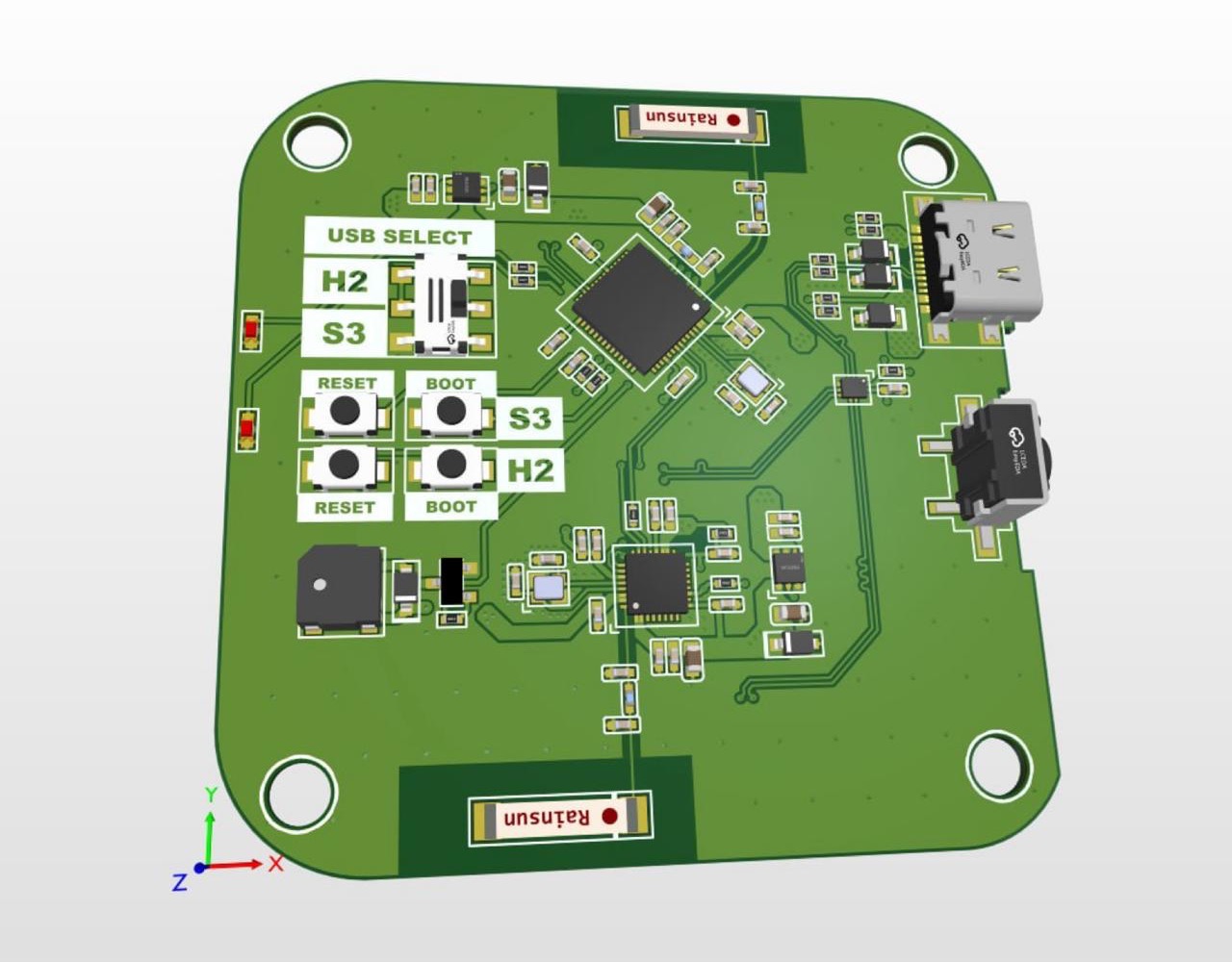
Every week someone tells me they’re about to wire an ESP32 to their inverter and build their own monitoring. A few registers, a Telegram bot, a dashboard. A weekend project.
I thought the same thing. I started Svitgrid because the apps that came with my own inverter were painful, and I wrote about how it started earlier this year. Since then it has grown from one house to about 150, and from one inverter brand to many. Almost nothing that hurt along the way was the thing I expected to be hard.
So let me say the important part first. If you’re doing this to learn, build it. It will work: an ESP32, a cable and a few evenings get you live numbers from your own inverter, and you’ll understand serial buses, power and embedded debugging better than any course would teach you. Every problem below is a lesson, not a wall.
If what you actually want is a monitored house, a message when the power goes out and a family that can see the battery, that’s a different project, and this post is about why.
It’s the list I wish someone had given me. It’s not a tutorial and it has no fixes in it. It’s the map of problems, in the order you’ll meet them.
First, what Svitgrid is
Svitgrid is a monitoring app for home solar stations, on iOS and Android. It reads your inverter around the clock and shows where the energy goes: from the panels to the battery, the house and the grid.
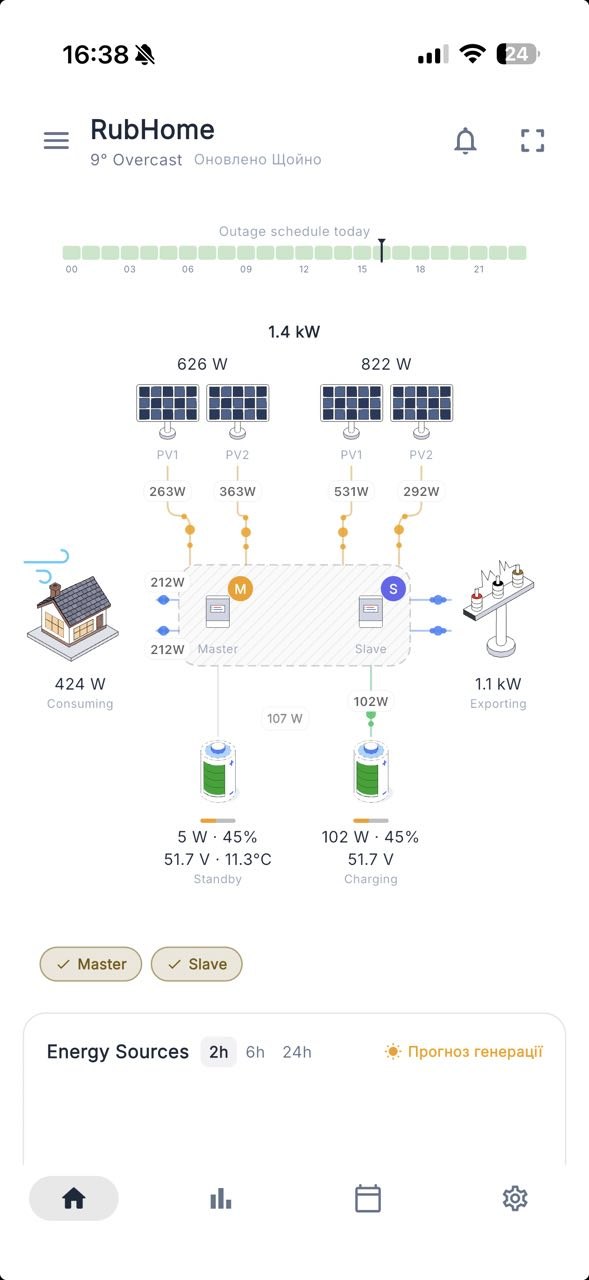 The home screen: two inverters working as one, each battery and string visible on its own, and today’s outage schedule along the top
The readings come either from your phone or from ED-1, a small ESP32 board that sits next to the inverter and keeps watching when your phone is somewhere else.
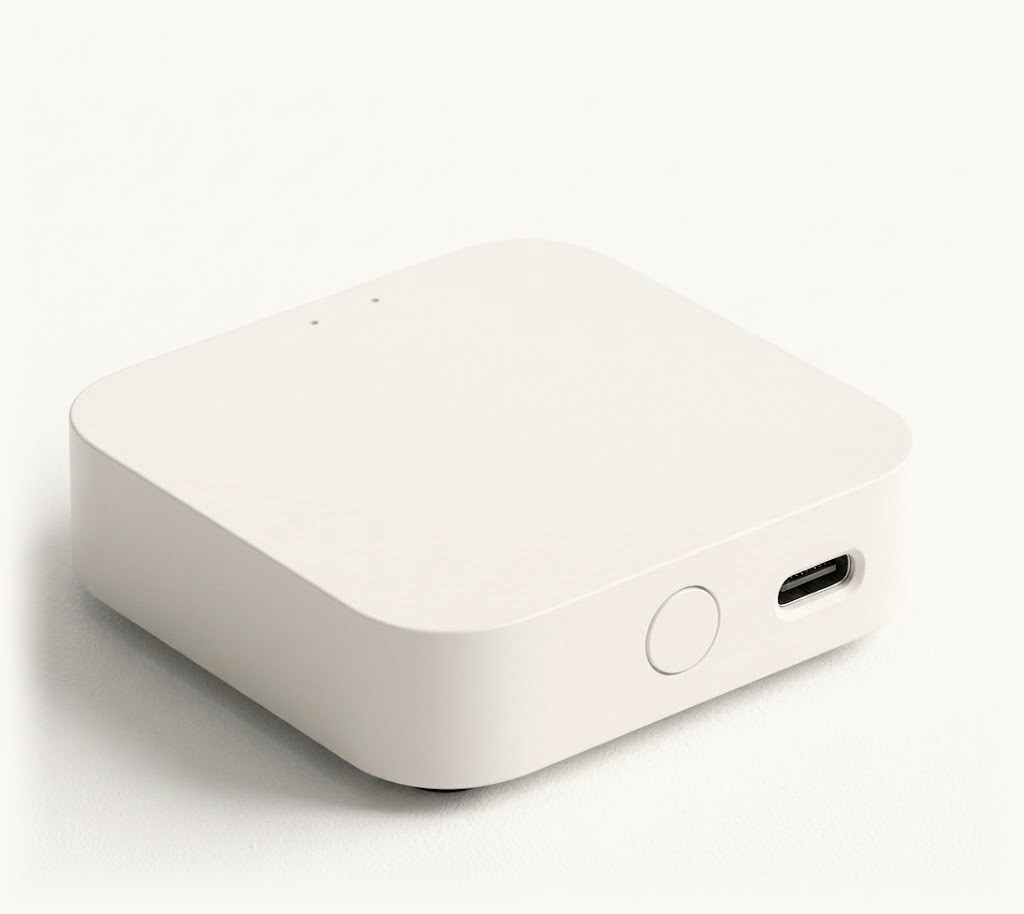 ED-1: plugged into a USB charger next to the inverter, set up over Bluetooth from the app
On top of the readings:
- Outage alerts: a Telegram message when the power goes out and when it comes back, plus your group’s planned outage schedule.
- Solar forecast: how much the panels will produce today and this week, compared with what they actually did.
- Inverter control: work modes and battery charging windows, from the phone instead of the inverter’s menus.
- Home Assistant: a local mode where the data stays at home.
- EV chargers: an Eveus charger that pauses when the grid goes down and charges the car from surplus solar.
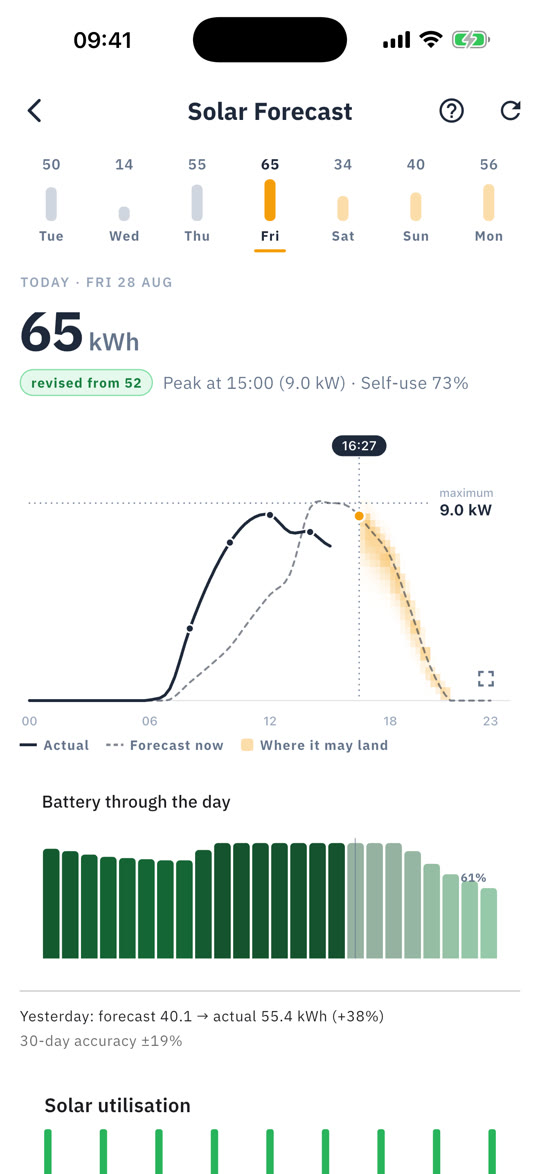 Solar forecast: today’s production against the forecast, and where the battery will be by evening
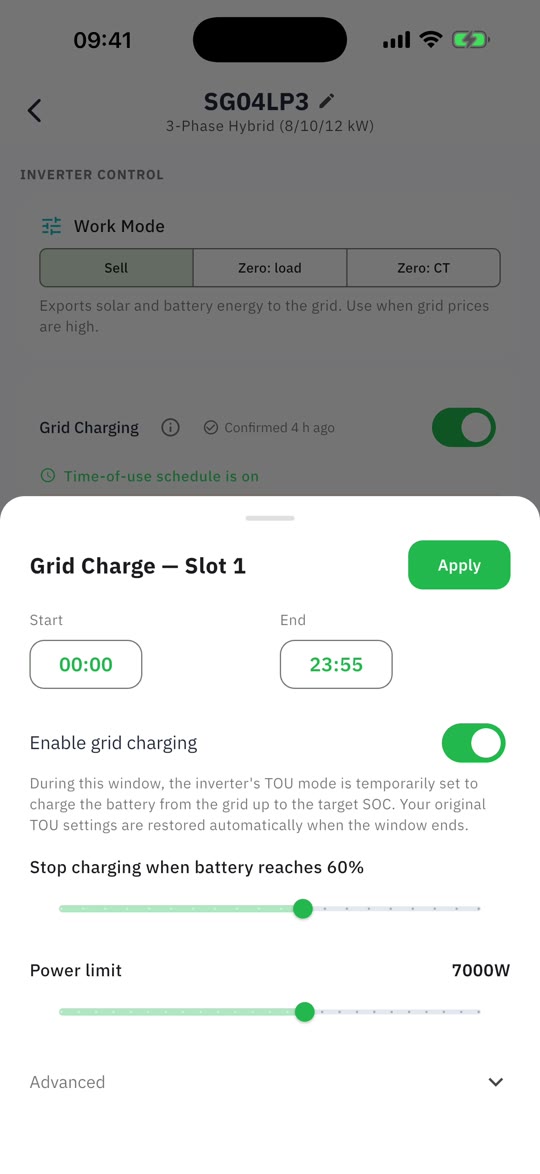 Inverter control: a grid-charging window with a target battery level and a power limit
It works with Deye, Sunsynk, Sol-Ark, Victron, SolaX, Anenji, Edecoa, Sofar, LuxPower and more; the full list is on the compatibility page.
Everything below is what it took to get there.
Stage 1: one user, yourself
At the start, the only user is you, and you’re standing next to the inverter. You can see the LEDs, touch the cable and read the screen. That makes everything look easier than it is.
Every inverter speaks its own language. One talks Modbus through a Wi-Fi logger, another uses a serial protocol over a cable, a third only has a cloud API. The same value, battery power for example, sits at a different address, with a different scale and a different sign, depending on the brand.
The manual is wrong about its own registers. Not occasionally. We’ve had a vendor document off by a factor of ten on battery current, and a whole model family whose firmware reports power ten times too low while every other field is correct. The numbers look reasonable, so nothing tells you they’re wrong. Data quality ends up being a feature of its own.
When something breaks, the wire goes silent. Swapped wires, the wrong speed, an unpowered module, the wrong port, or an inverter that simply decides not to answer: every one of them produces the same nothing. Our worst case was a chip that reported every byte as sent while nothing reached the wire. It took two days to find, and the customer made four trips into a live inverter cabinet while we looked.
The hardware can hurt you. Sensing an outage means getting close to mains voltage. One inverter we connected carries 12 V on a pin of its communication port, so an ordinary patch cable puts it somewhere you never planned for. And the person holding the probe is often you, inside a cabinet that is still live.
Stage 2: five users, friends and neighbors
Then a neighbor asks for it, and a friend, and a friend of a friend. You still know everyone by name. You just can’t see their hardware any more.
Their inverter isn’t yours. A different brand, or the same brand on different firmware. Code that has only ever met your inverter meets theirs for the first time on their roof.
The power goes out exactly when you need the data. The whole point is to know what happens during an outage, and an outage is when your board loses power, the router goes down and the mobile network gets congested. Your device has to tell you about the moment it is least able to talk.
Wi-Fi lives in the basement. Inverters sit next to metal cabinets, in basements and garages, at the edge of the router’s reach. A connection that holds in your living room drops twice an hour there.
Life changes on the other end. They change their Wi-Fi password, replace the router, switch providers or move house. Your device has no screen and no keyboard, nobody can type the new password into it from a distance, and from your side it just looks offline.
The customer is your only pair of eyes. You debug through photos taken at arm’s length and voice messages at midnight. “It’s offline” turns out to mean many different things. Once it meant the owner had paused monitoring from the app the evening before and forgotten. Our troubleshooting page is mostly a list of these.
Supporting more than one inverter
Somewhere around here a hobby turns into a product, because people with other inverters start asking.
There’s no common language. Each new brand brings its own transport, its own protocol and its own idea of what “battery power” means. Nothing you wrote for the previous one carries over cleanly. Our compatibility list is the result of doing this many times over.
Rebadges and lookalikes. The same hardware is sold under three names. Two units with the same name behave differently because their firmware differs. The label on the box tells you less than you hope.
You can’t buy them all. You end up writing support for inverters you have never touched, from community spreadsheets and vendor PDFs, and the first real test happens on a stranger’s roof.
They’re different products, not variations. One inverter schedules six charging windows a day. Another has no schedule at all and wants charge currents and voltage limits instead. A single settings screen can’t honestly serve both.
Writing is scarier than reading. A wrong reading shows a wrong number. A wrong write changes how someone’s house is powered.
Every new brand breaks an old assumption. Code written when only two brands existed quietly treats the third as one of them, and nothing complains until a customer can’t finish setup.
Stage 3: 150 users, strangers
At this point most of your users have never met you. They found you through search, a forum or a friend, and they expect a product.
Every combination exists. Somewhere, right now, a brand, model and firmware version you’ve never seen is running your code.
Outages are correlated. When the grid goes down in a region, every device there goes quiet at the same moment, and every alert fires at once. Your busiest minute is everyone’s worst minute.
The bills show up. Cloud costs grow with every reading. We used up a whole month of error-tracking quota in one day because one condition kept reporting itself every few minutes. App store review queues decide when your fix actually reaches people.
Release discipline stops being optional. A mobile build that quietly talked to the wrong backend logged real users out, and the ones who signed back in found an empty account where their station used to be. At five users that’s an awkward phone call. At 150 it’s a bad week.
Support becomes the job. The Telegram chat never sleeps. A large share of reports aren’t bugs: a paused device, a changed password, a tripped breaker. Each one still takes a careful conversation to find out.
Updating 150 devices you can’t touch
Firmware updates over the air look like a solved problem until the fleet is real.
A failed update means a trip to someone’s house. If a board can’t boot after an update, nobody can fix it remotely. Someone has to drive there, or the customer has to post the board back.
The power goes out mid-update. You build for places with outages, so some updates are interrupted by exactly the event your device exists to report.
The fleet never runs one version. Boards that were offline, paused or unplugged come back months later on old firmware. You support many versions at once whether you planned to or not.
One board can hold more than one chip. The update has to reach a second chip through the first one, and either can fail on its own. We once built an image for the second chip with the wrong toolchain: it flashed cleanly, booted, answered on its serial port, and its radio was dead.
Your bench is not the fleet. You test on a handful of inverters. The fleet has dozens of brand and firmware combinations, so the real test is the first homes that receive the update.
An update doesn’t reset everything. Settings stored on the board survive the update, so a fix that depends on a fresh setting never reaches the boards already in the field.
Every reboot is visible. The family watching the app sees the house go dark for a minute and asks what happened.
Keeping your users safe
This is the part a solo builder thinks about least, and the part that costs the most when it goes wrong.
Your device lives on someone else’s network. It sits inside their home, next to their laptops and cameras. If it’s compromised, so is everything around it.
An update channel is a remote control for people’s homes. Whoever can push firmware to the fleet can change how 150 houses are powered. Protecting that channel is a fleet-wide problem, not a device problem.
Households must never see each other. One mistake in access rules and a stranger can see a neighbor’s consumption, which also tells them when nobody is home.
Sharing access is harder than it looks. Family, an installer, someone helping with support: each needs some access but not all of it, and taking it back has to actually work.
Commands that touch power need certainty. A button that changes the inverter’s mode has to know exactly who pressed it and whether they’re allowed to.
Secrets live on devices you can’t take back. Wi-Fi passwords and keys sit on boards in homes you’ll never visit, and a board can be sold, lost or opened up.
Your own passwords become fleet-wide. Rotating a credential means finding every service and every device that still holds the old one.
You become a target
Nobody warned me about this one.
Phishing arrives once you’re visible. As soon as the project has a store listing, a domain and users, the emails start: messages dressed up as Google, Apple, your registrar or your payment provider, timed to look routine.
In a solo project, one person holds every key. A single phished login can be the cloud account, the store account and the update channel at once. One stolen password can reach every home.
Being small doesn’t protect you. Attackers aren’t interested in your side project. They’re interested in what it can reach: the access it holds to 150 homes.
So, should you build it?
If you’re a DIY learner: yes, and it will work. Stage 1 is completely within reach, and you’ll come out of it knowing more about serial buses, power and embedded debugging than most courses teach. Hit these problems on purpose. That’s the fun part.
If you’re not, and you just want it to work: don’t build it, buy it. Reading one inverter on your own desk is a weekend. Keeping it running through outages, router changes, firmware updates and phishing emails, for a family that needs it to just work, is the rest of the job.
That second part is what I ended up building. If you want your inverter monitored and a Telegram message when the power goes out and comes back, without walking this list yourself, get Svitgrid. Start with outage alerts, the ED-1 edge device and the list of supported inverters. If you already run Home Assistant, there’s a local mode that keeps your data at home.
And if you build your own anyway, I’d love to hear which of these problems got you first.