


How I Built Monitoring for My Home Solar System — And Why You Might Need It Too
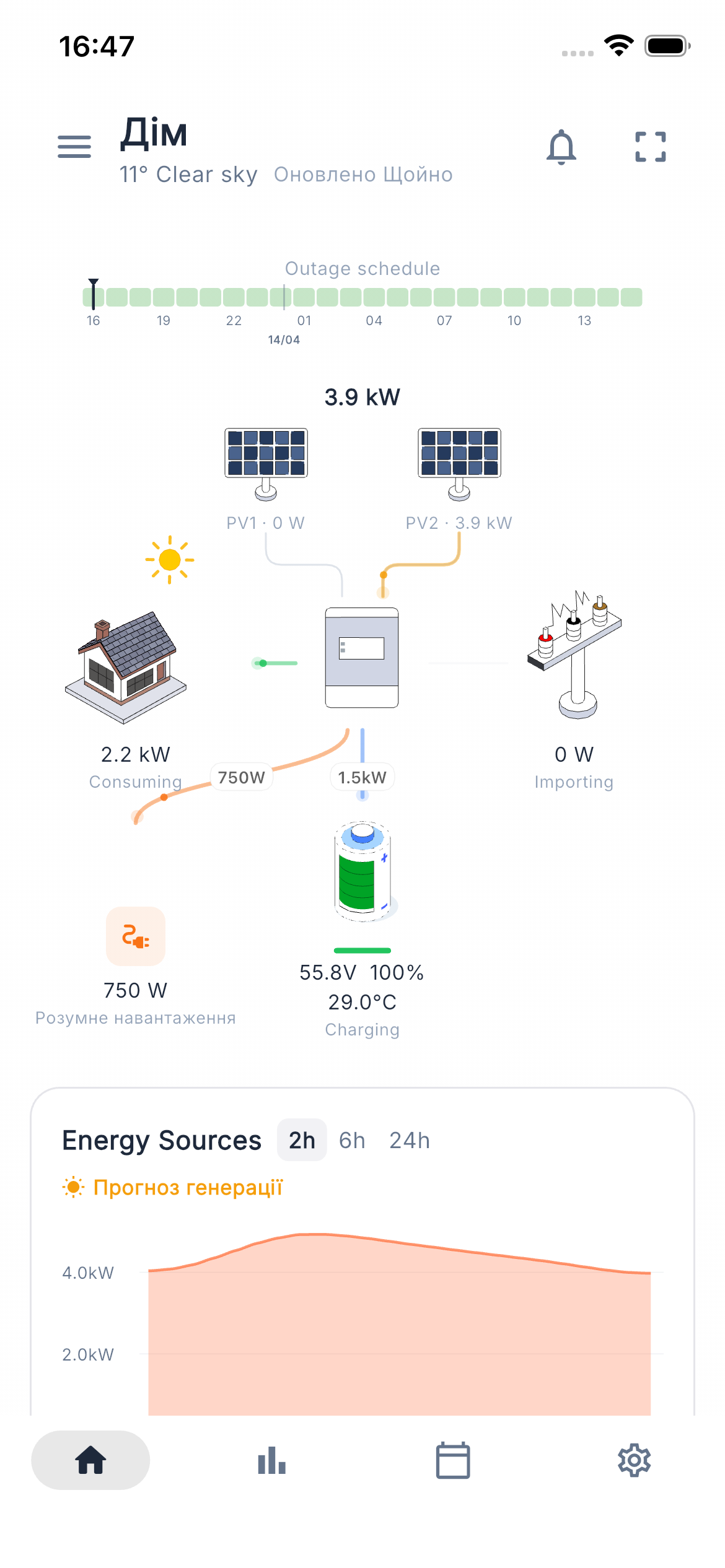 Svitgrid dashboard: real-time power flow from PV to battery, home, and grid
A few months into living with my home solar installation, I realized the apps shipped by inverter manufacturers were, to put it politely, unloved. Menus that read like Modbus register dumps. Graphs that took ten seconds to load. No clean way to share access with my family without handing out a password. So I started building my own — and that side project turned into Svitgrid, a solar monitoring platform that now ships on iOS, Android, and the web.
This post is the story of how Svitgrid came together, the architectural choices behind it, and why I think more people running residential solar should care about owning their data.
The Problem
What I wanted from a solar monitoring system sounds modest on paper:
- A clean UI for inverter configuration — without diving through register-level menus.
- Real-time graphs that load instantly.
- A clear visualization of where energy is flowing: PV → battery → home → grid.
- Weather-based generation forecasts I could actually plan around.
- Family access without sharing my password.
The existing options each fell short. Solarman covers a lot of inverters but the UX is rough. SolarAssistant is excellent but requires a Raspberry Pi sitting on your network and doesn’t ship a polished mobile app. Home Assistant is infinitely flexible but only if you’re willing to maintain a Home Assistant. None of them treated the homeowner, rather than the installer, as the primary user.
Architecture
The technology stack ended up looking like this:
- Mobile: Flutter + Riverpod
- Backend: TypeScript + Fastify on GCP (Cloud Run, Firestore, Cloud Functions)
- Edge hardware: ESP-IDF on ESP32-S3
The key design decision was supporting two parallel data delivery paths from inverter to cloud. More on that in a moment.
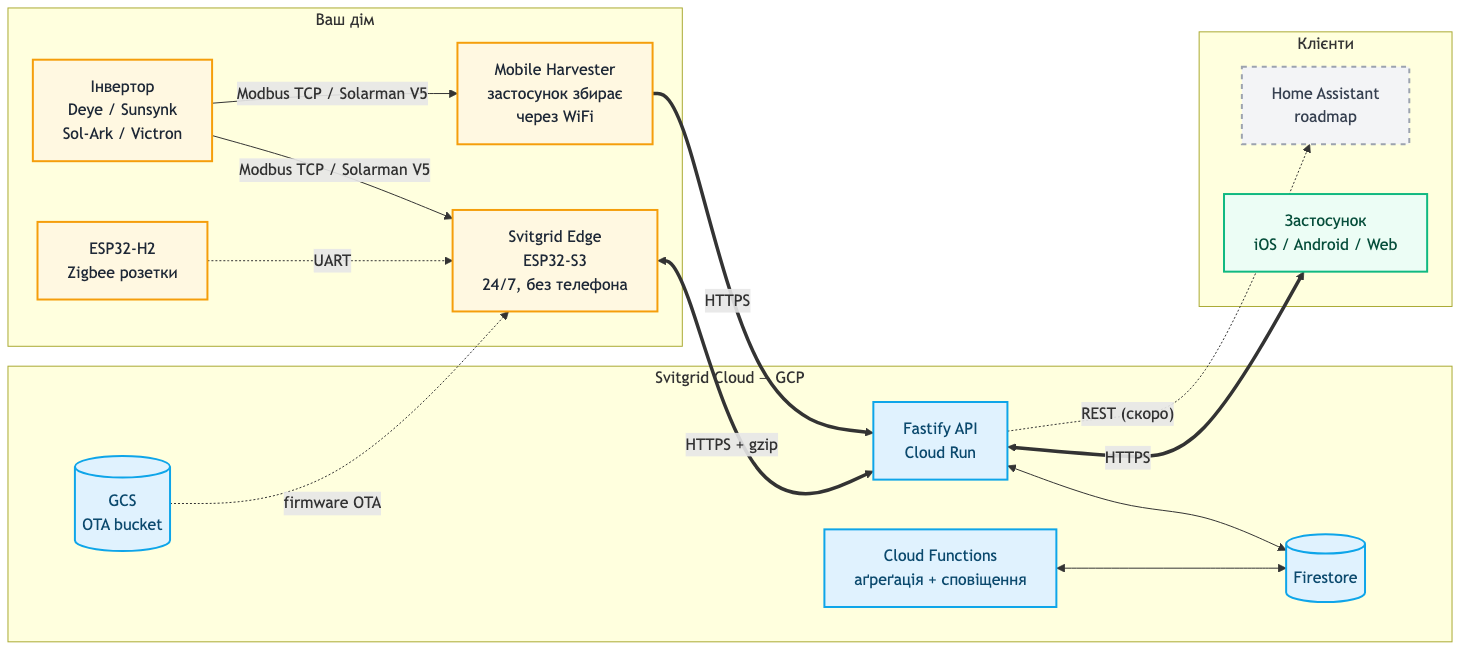 End-to-end data flow: inverter → Mobile Harvester or Svitgrid Edge → Fastify API on Cloud Run → Firestore → mobile/web clients. Firmware updates flow back out from a GCS bucket
Multi-Inverter Support
I started with Deye / Sunsynk / Sol-Ark — these are essentially the same hardware under three brands and dominate the hybrid inverter market in Ukraine and beyond. Svitgrid currently supports around fifteen models in that family, plus Victron systems over Modbus TCP.
What made the Modbus work harder than expected wasn’t reading registers — it was handling realistic topologies. Master-slave configurations, for example, where two or three inverters work as one logical unit. Owners want to see the individual contribution of each unit, not just the sum, and the protocol doesn’t always make that pleasant.
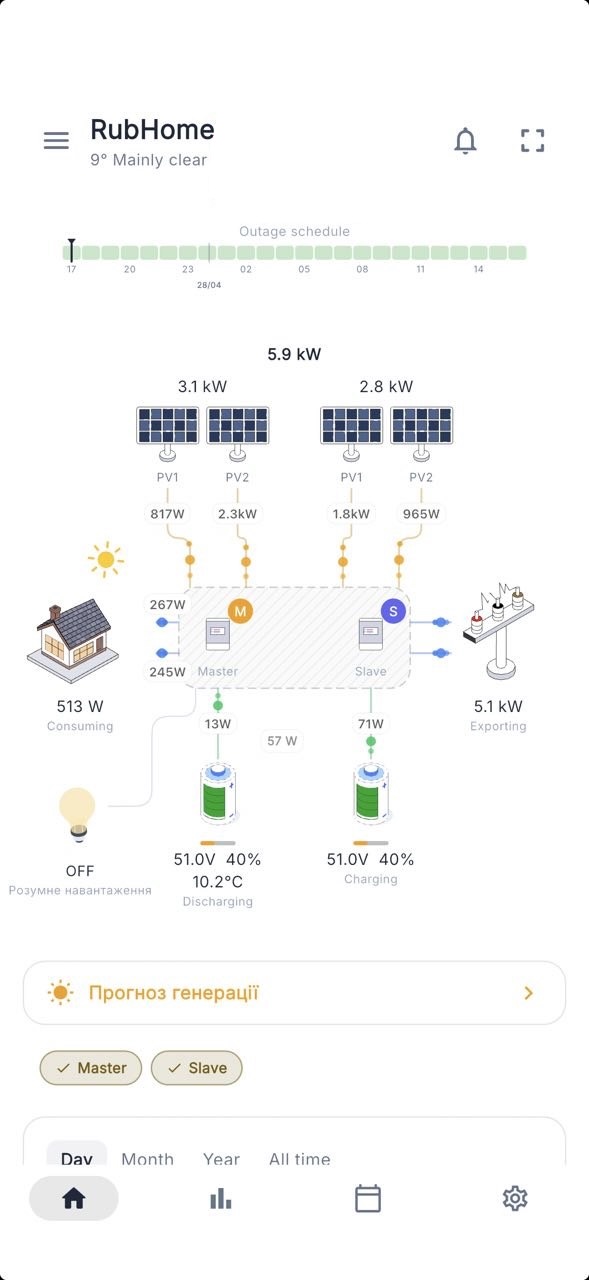 Multi-inverter installation broken out into individual units, so each one’s contribution is visible rather than collapsed into a sum
Two Ways to Collect Data
Mobile Harvester
The simplest mode: your phone, sitting on the same WiFi as the inverter, periodically queries it and uploads readings to the cloud. Zero additional hardware. It works — until it doesn’t. Modern phones aggressively kill background processes, WiFi drops are common, and the moment you leave the house, the data stops.
Edge Connector
So the second mode is a small ESP32-S3 device I designed to live next to the inverter and do the job 24/7. It buffers about three hours of data locally to survive internet outages, compresses payloads with gzip, and ships them upstream in batches.
Right now I’m hand-assembling these units. The next milestone is a professionally manufactured PCB — a familiar journey for anyone who’s read my earlier PCB post.
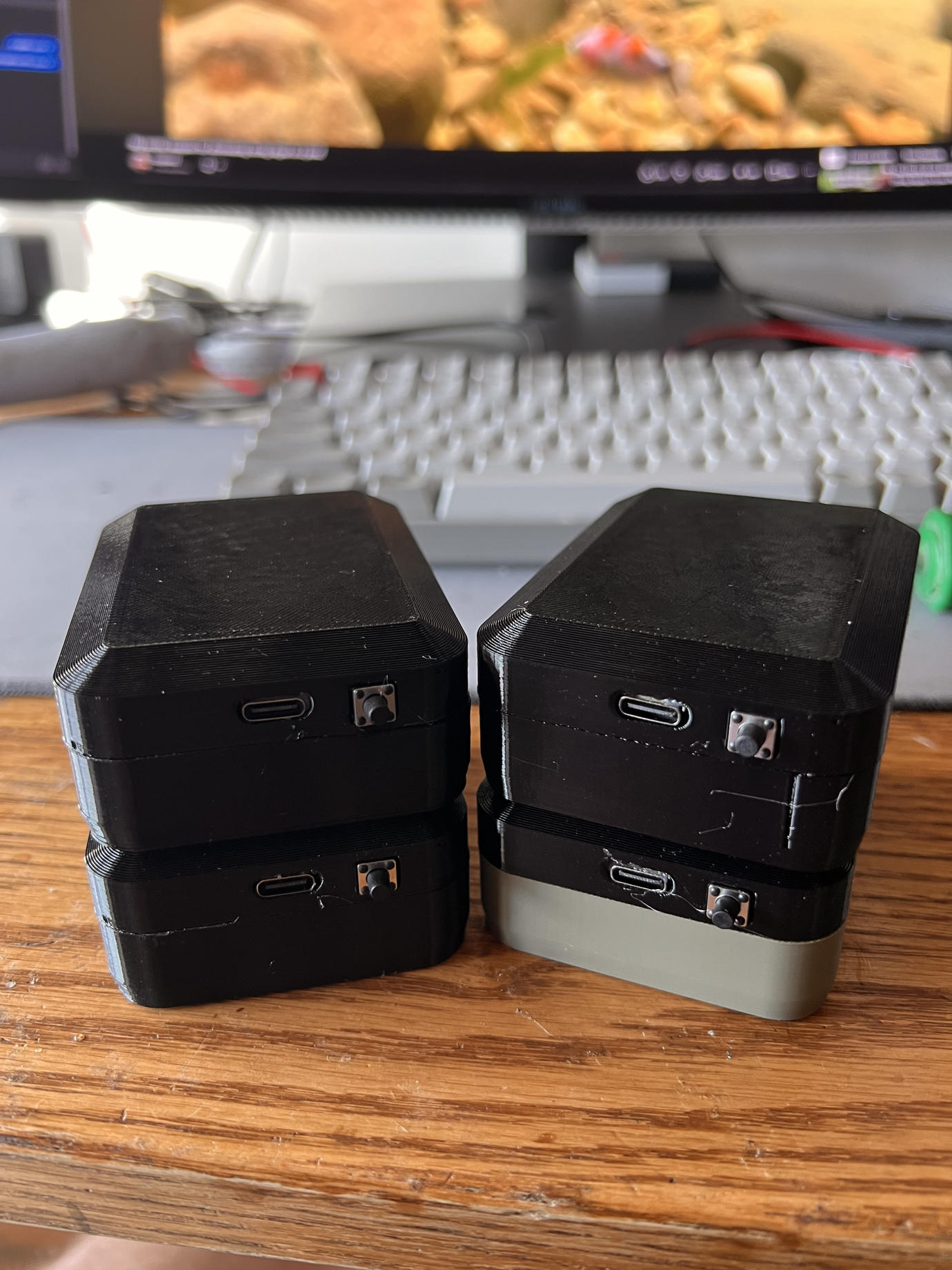 A small batch of finished SunMk0 edge devices ready to ship — 3D-printed enclosures, USB-C, and a single button
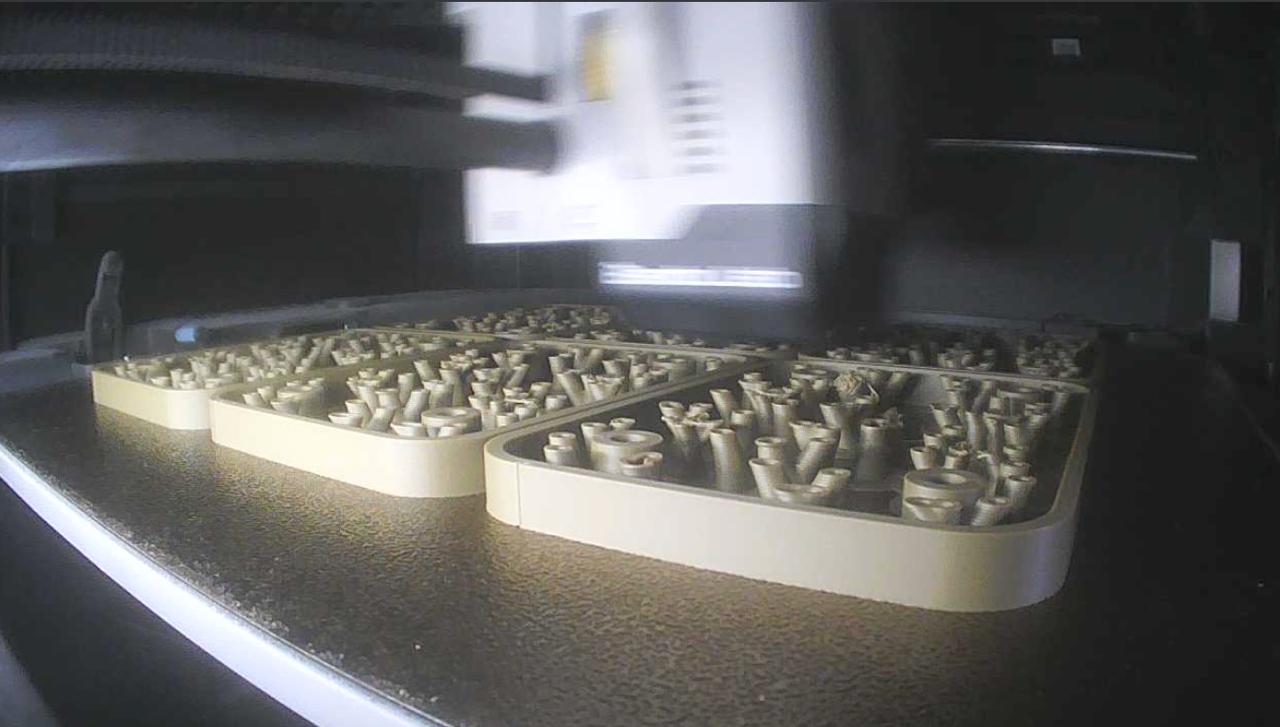 Resin printer churning out enclosure parts. “Hand-made” is doing some heavy lifting in that sentence
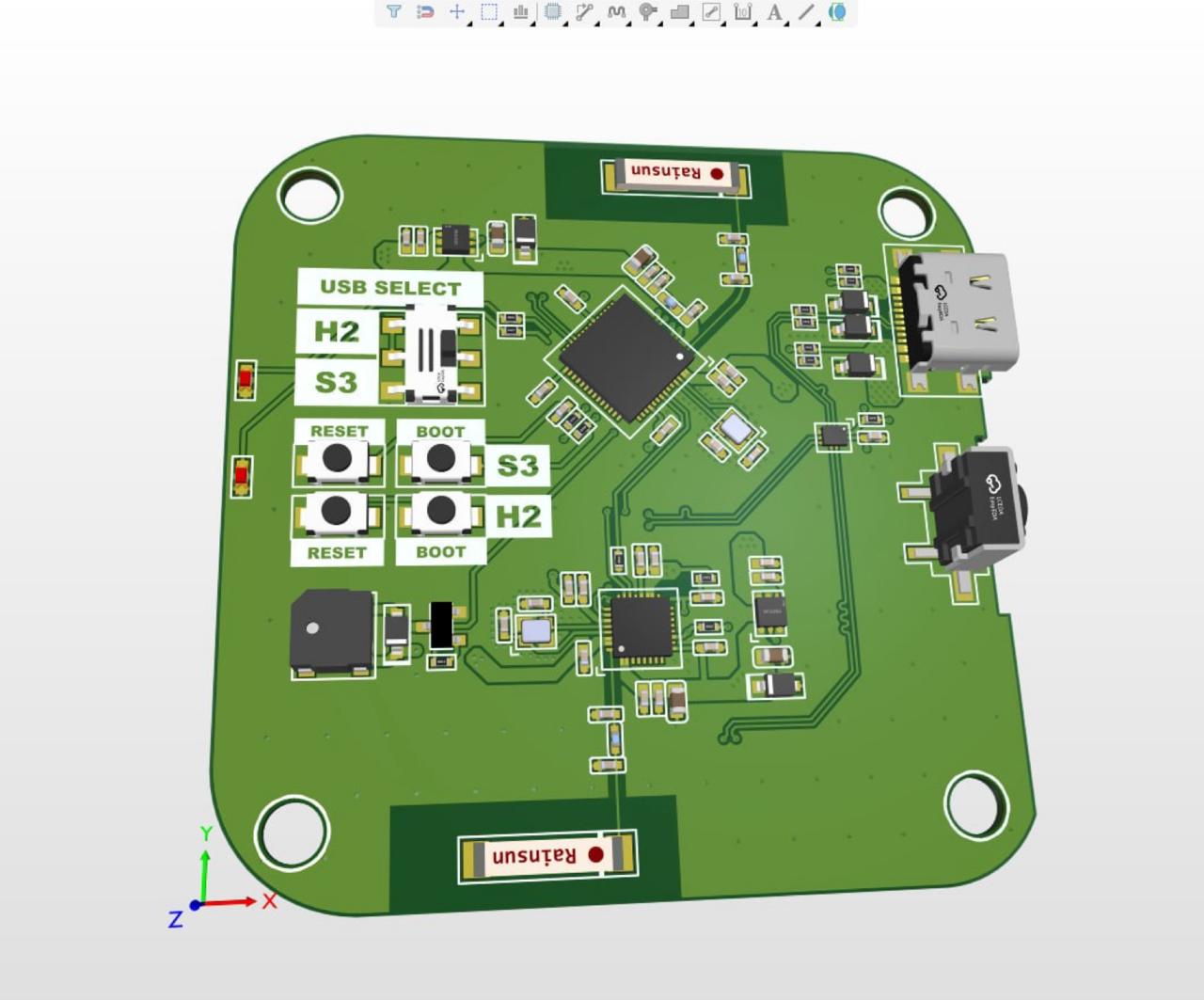 3D KiCad render of the next-generation PCB, with an ESP32-S3 / ESP32-H2 hybrid layout for Zigbee expansion
OTA Firmware Updates
With hardware in users’ homes, OTA is non-negotiable. The firmware uses ESP-IDF’s A/B partition scheme: the new image is written to the inactive partition, verified with SHA256, and only booted after a successful handshake — otherwise the device rolls back automatically. The app surfaces progress so users can see exactly what’s happening.
There’s still a small class of changes (partition table tweaks, bootloader changes) where I need physical USB access, but day-to-day improvements ship over the air.
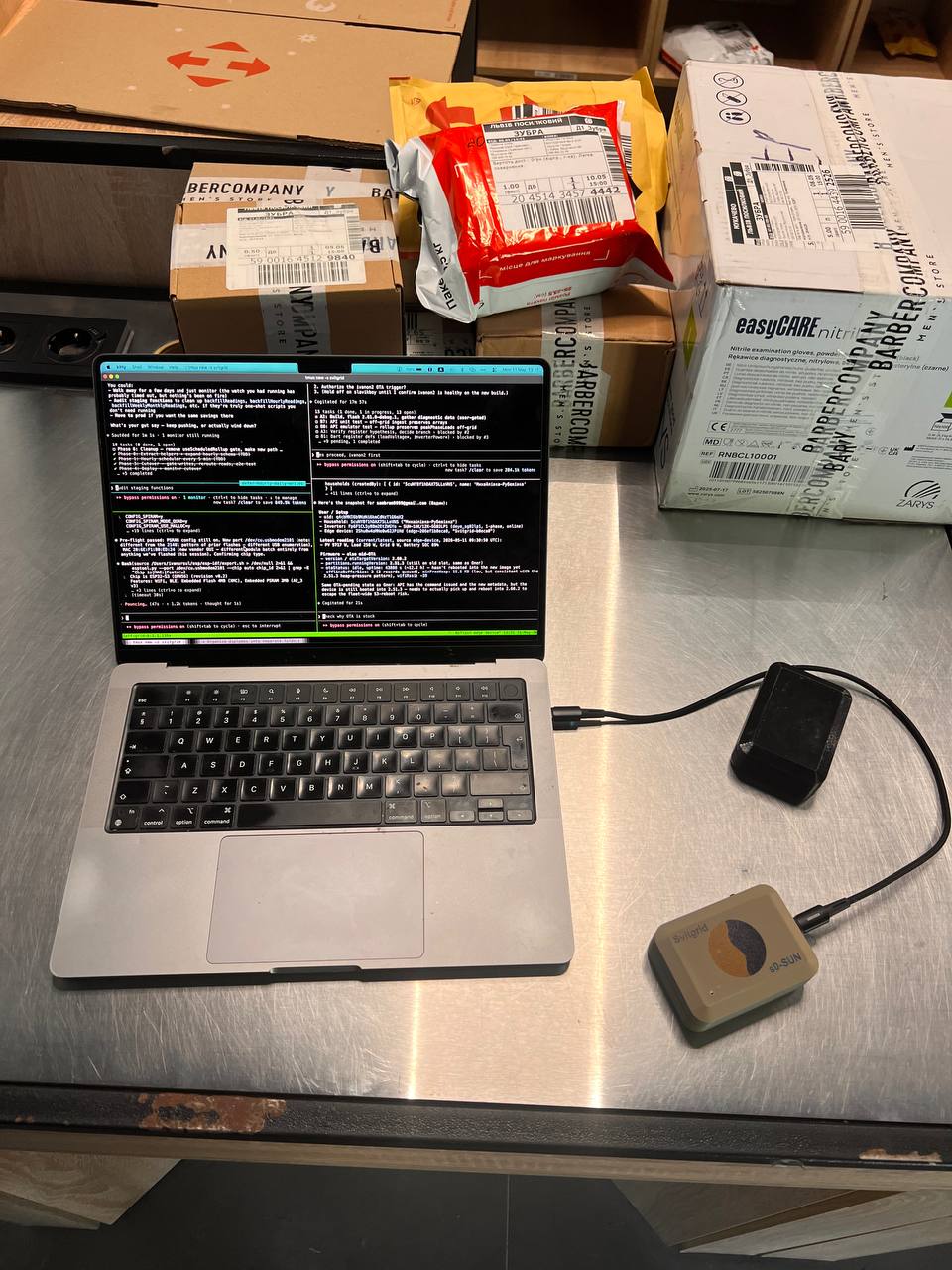 Reflashing a returned device on a postal-office counter — not glamorous, but the kind of thing that happens when your hardware is in the wild
Analytics and Planning
This is where the project stopped being just a “monitoring” app and started being useful.
Real-time Graphs
Streaming charts showing PV, battery, and grid contributions side by side. Nothing fancy — but the latency is low enough that you can flip a load on and watch the numbers move.
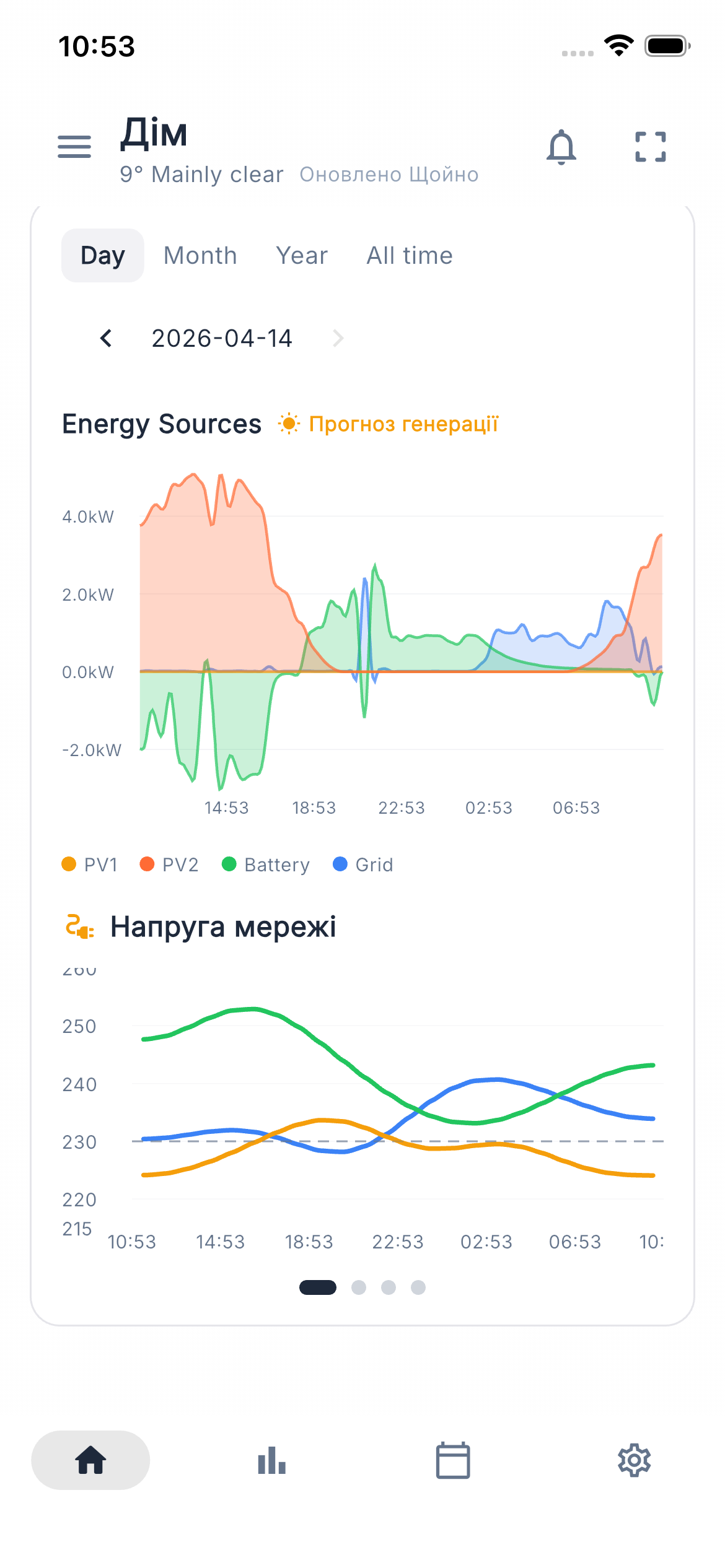 Stacked energy sources view: PV1, PV2, battery, and grid drawn together so you can see exactly where every watt is coming from at any given minute
Weather-Based Forecasts
The app uses your geolocation, the orientation of your panels, and open-meteo data to forecast how much energy you’ll generate tomorrow. This sounds straightforward and mostly is — the calibration to a specific roof is the interesting part.
Blackout Schedules
Ukrainian users will know exactly why this matters. Svitgrid integrates the scheduled blackout calendars for every region, so the app can tell you not just “you’ll generate 18 kWh tomorrow” but “and the grid will be down from 14:00 to 18:00, so plan accordingly.”
Energy Market Prices
For users who sell to the grid, the app pulls hourly Day-Ahead Market (RDN) prices, so you can see when it’s actually worth pushing energy out.
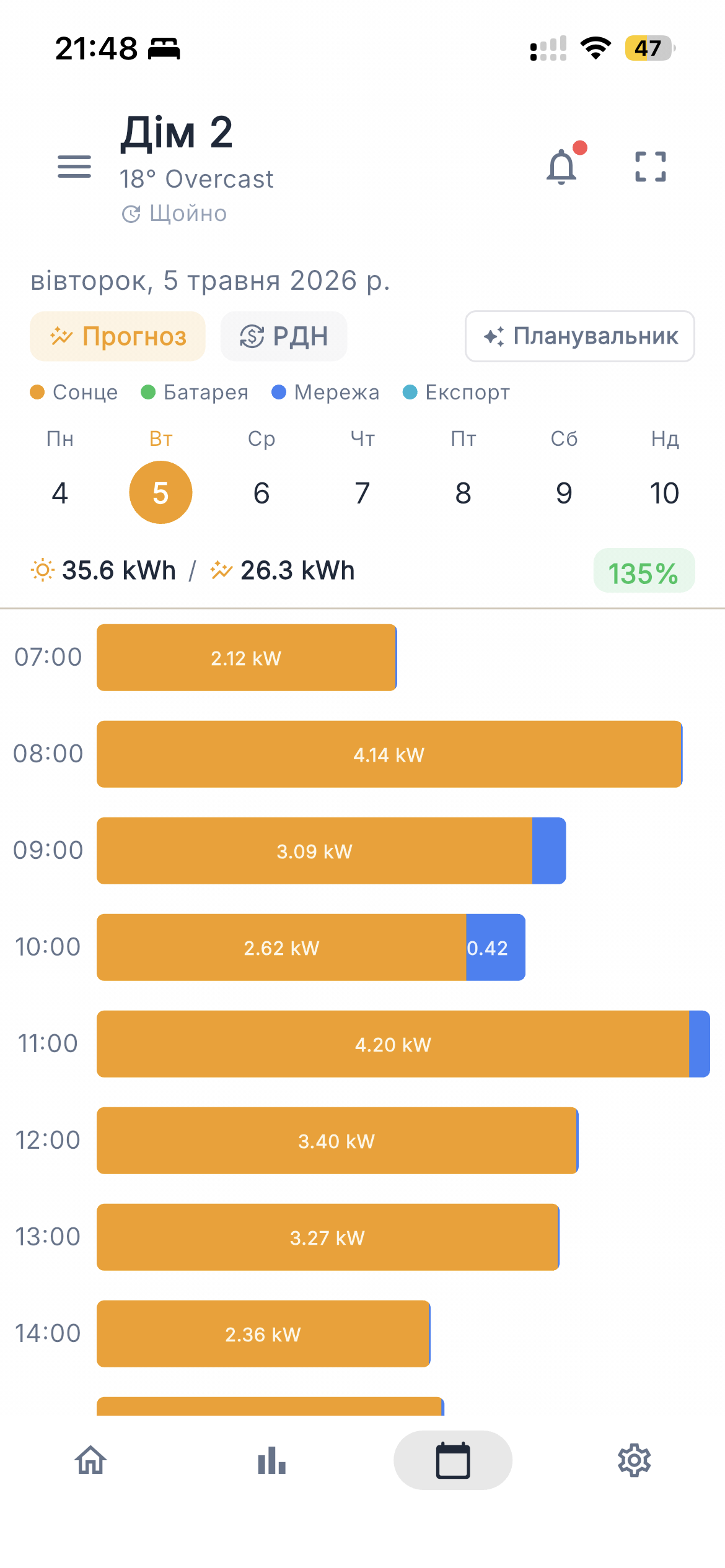 Forecast and pricing: tomorrow’s generation curve overlaid with hourly market prices, so “when should I sell?” becomes a question with a real answer
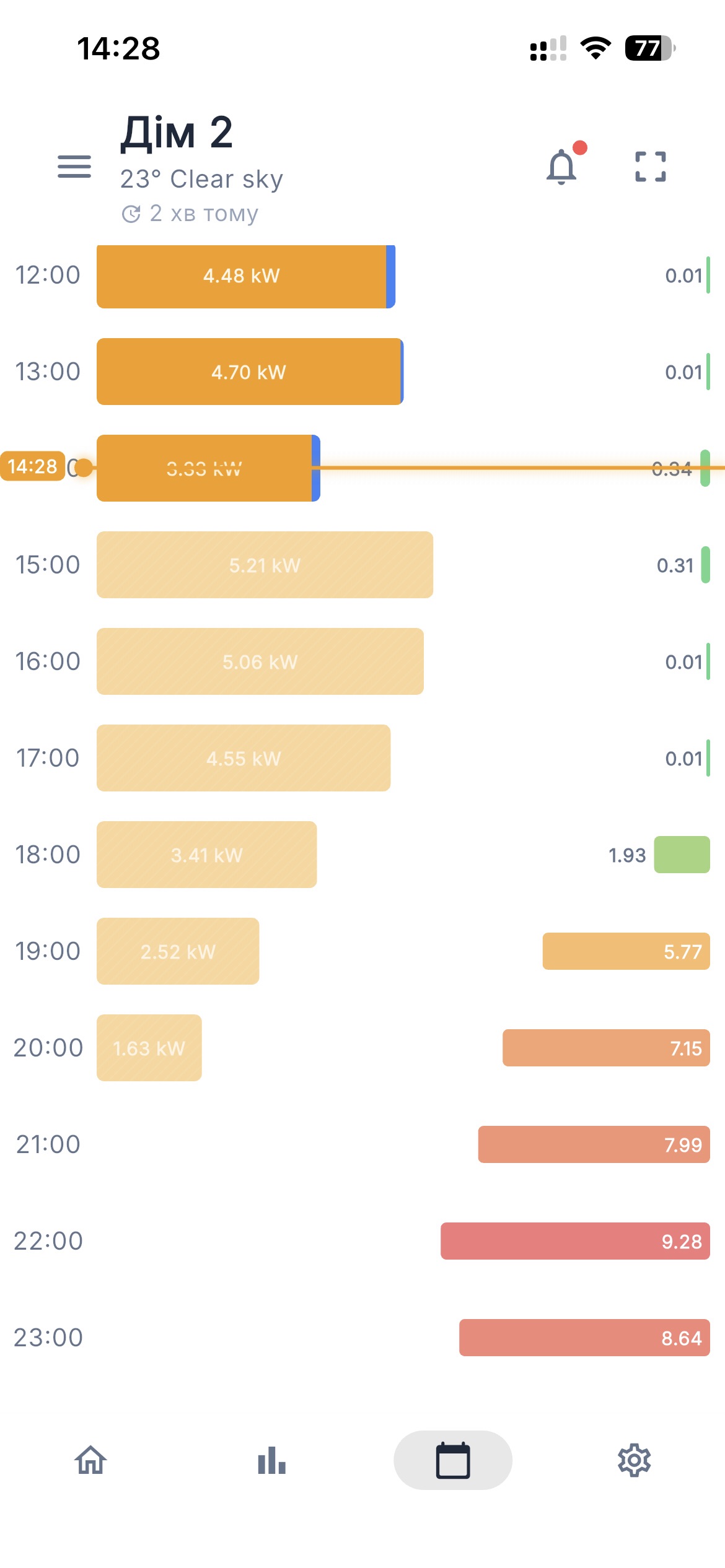 Market price view, day by day, against expected output
Green Tariff Math
For those on the green tariff, Svitgrid does the messy arithmetic — 18% income tax, 5% military levy — and shows net monthly income in UAH. It’s a small feature, but the alternative is a spreadsheet, and nobody wants the spreadsheet.
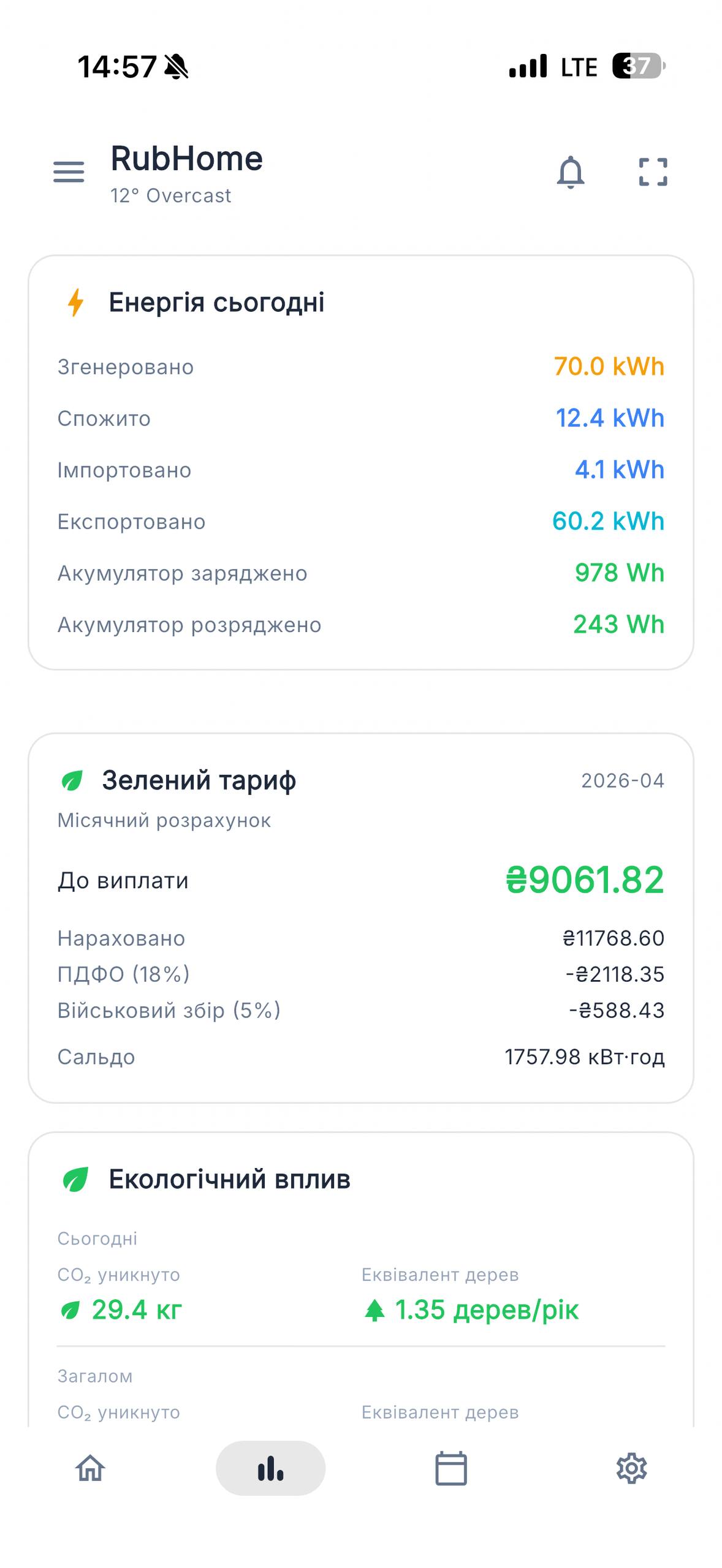 Green tariff income broken down month-by-month, net of taxes
Smart Planning Assistant
Putting all of the above together, the app suggests concrete daily actions — for example, “sell to the grid between 11:00 and 12:00” — based on the forecast, the market price, and the blackout schedule. Every command the assistant issues is cryptographically signed with the user’s private key. Which brings me to the part I care about most.
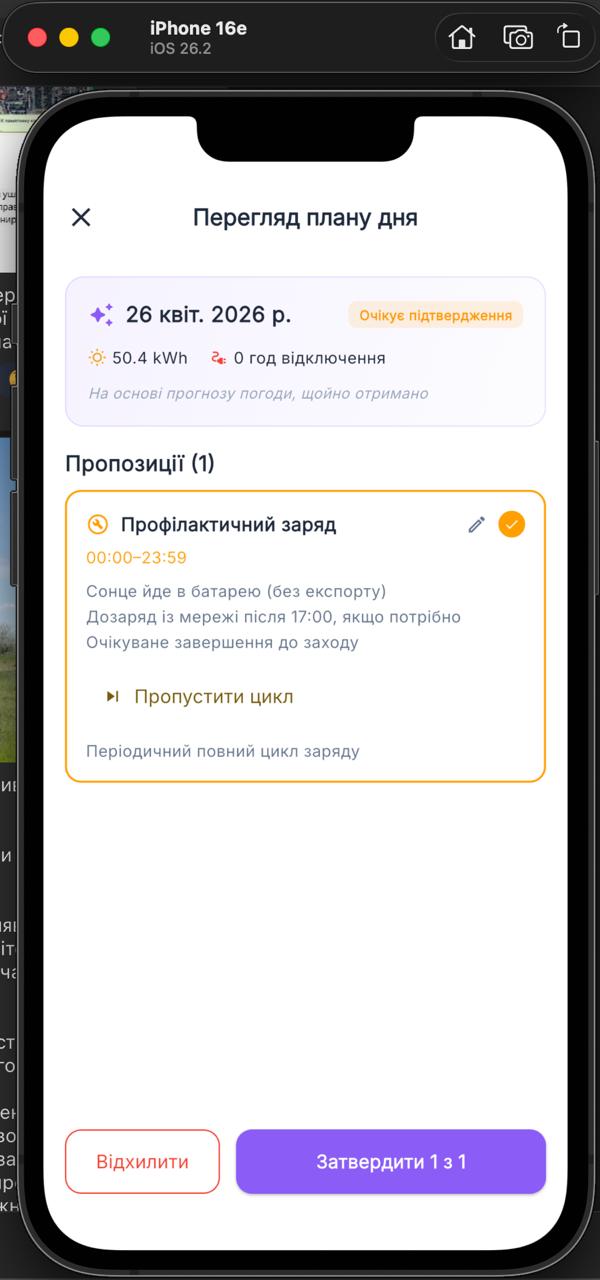 Daily plan generated from the forecast and price feed: when to charge, when to discharge, when to sell
Security: Why the Cloud Should Not Own Your Inverter
Most cloud-managed solar systems have a quietly terrifying property: if the cloud is compromised, the attacker can issue commands to your inverter. Charge the battery from the grid at peak prices. Push power out when it costs you money. Disable export entirely. The cloud holds the keys.
Svitgrid is built so that it can’t do that.
- Each device and user holds a cryptographic key pair.
- Private keys never leave the client.
- Every command sent to your inverter must be signed by your private key.
- The cloud infrastructure cannot generate valid commands on its own.
If Svitgrid’s servers were compromised tomorrow, an attacker would see metrics. They would not be able to control your hardware. That property is worth a lot of engineering effort, and it shaped a surprising number of decisions throughout the system.
Where Things Stand
The apps are live:
- iOS: App Store
- Android: Google Play
Hand-assembled edge devices are available at svitgrid.app/gateway, with the manufactured PCB in development. There’s also a Telegram chat where users discuss features and report issues, which has been by far the most valuable feedback channel.
Roadmap
A few things I’m actively working toward:
- A Home Assistant integration, so people invested in that ecosystem don’t have to choose.
- Smart load control over Zigbee — switching specific loads based on generation, not just visualizing them.
- Broader inverter support: Huawei, Solis, Growatt are the next targets.
- Multi-household topologies, virtual three-phase links, and Victron parallel systems.
On Monetization
Svitgrid is free today. A subscription is on the way, because keeping the infrastructure running, adding inverters, and shipping firmware updates isn’t something I want to fund with ads. I’d rather charge a fair price and stay aligned with users than make the product worse to chase impressions.
Final Thoughts
The thing I’m most proud of with Svitgrid isn’t a specific feature — it’s that the project actually made it out of the prototype phase and into people’s homes. Plenty of side projects die at the “works on my desk” stage. Pushing through to a published mobile app, real hardware, and real users forces every architectural shortcut to show itself eventually, and that’s been the most educational part of the whole experience.
If you’re running solar at home and any of this resonates, I’d love to hear from you — and if you have an inverter brand you’d like to see supported, even better. The list keeps growing because of those requests.